Installationsanleitung
IPTV Smarters Pro auf Windows installieren
IPTV Smarters ist ein leistungsstarker Player für Live‑TV, VOD, Serien und Catch‑up. Einfach zu bedienen und sehr effizient. Weitere Plattformen: Fire TV / Firestick-Anleitung · Smart-TV-Anleitung · iOS / Apple-Anleitung · Abos: IPTV-Abopreise.
Verwandte Suchbegriffe
Häufige IPTV-Themen, IPTV Smarters Pro, Smart IPTV, M3U und Xtream Codes.
- IPTV Smarters Pro Windows
- IPTV Windows 10
- IPTV Windows 11
- IPTV PC
- Smart IPTV PC
- M3U Windows
- VLC IPTV
Wie funktioniert es?
Schritt 1:
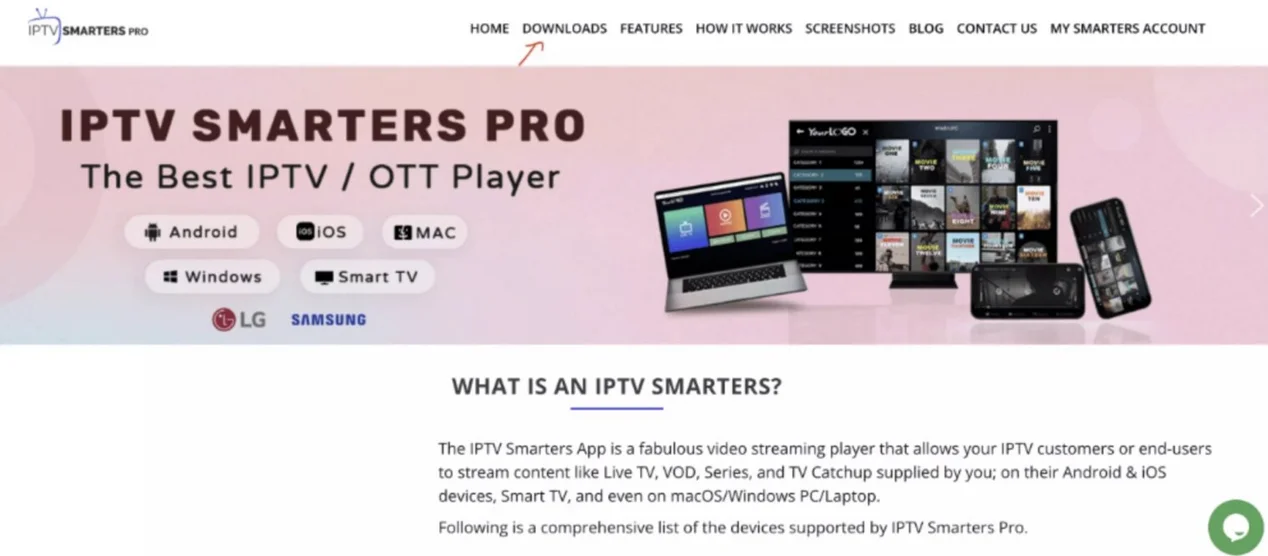
Gehe zu einer Suchmaschine und tippe « IPTV Smarters Pro ».
Öffne anschließend https://www.iptvsmarters.com.
Schritt 2:
Wähle im Menü Downloads.
Schritt 3:
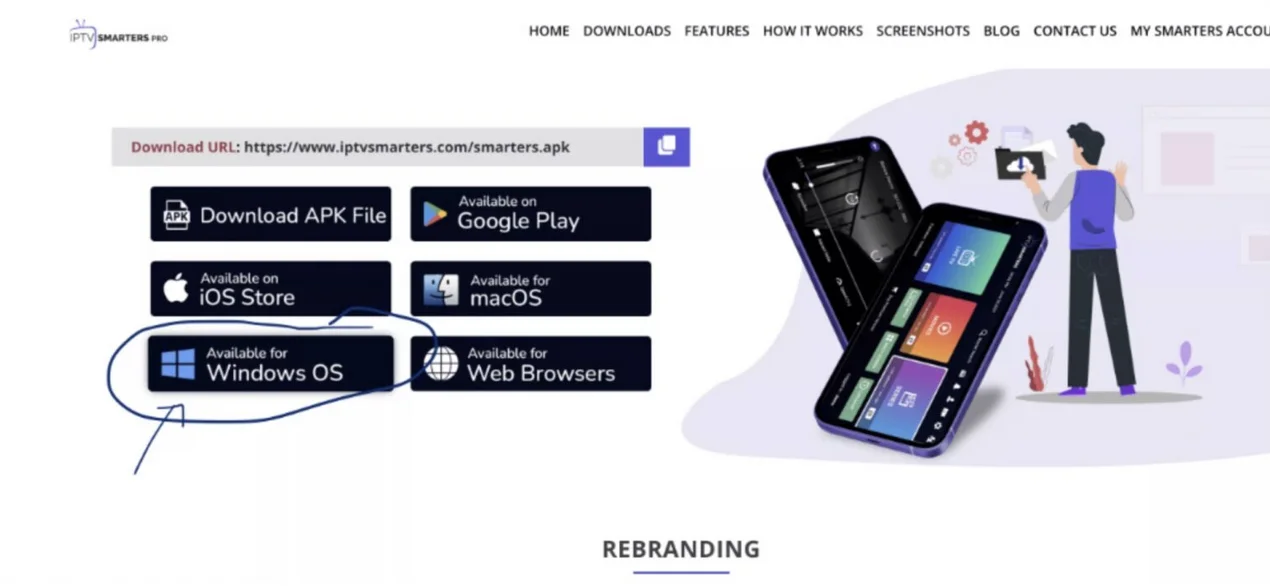
Lade die neue Version von IPTV Smarters Pro herunter.
Schritt 4:
Nach dem Download klicke auf die ausführbare Datei.
Schritt 5:
Windows fragt nach Erlaubnis. Wähle « Ja ».
Schritt 6:
Die Installation startet und dauert meist 1–2 Minuten.
Schritt 7:
Starte IPTV Smarters, klicke « Neuen Benutzer hinzufügen » und wähle « Xtream Codes API ». Gib Benutzername, Passwort und Portal‑URL ein.
Schritt 8:
Du bist bereit, IPTV Smarters Pro zu nutzen!
